New: From RFP Portal to Project in Minutes, With Loopio

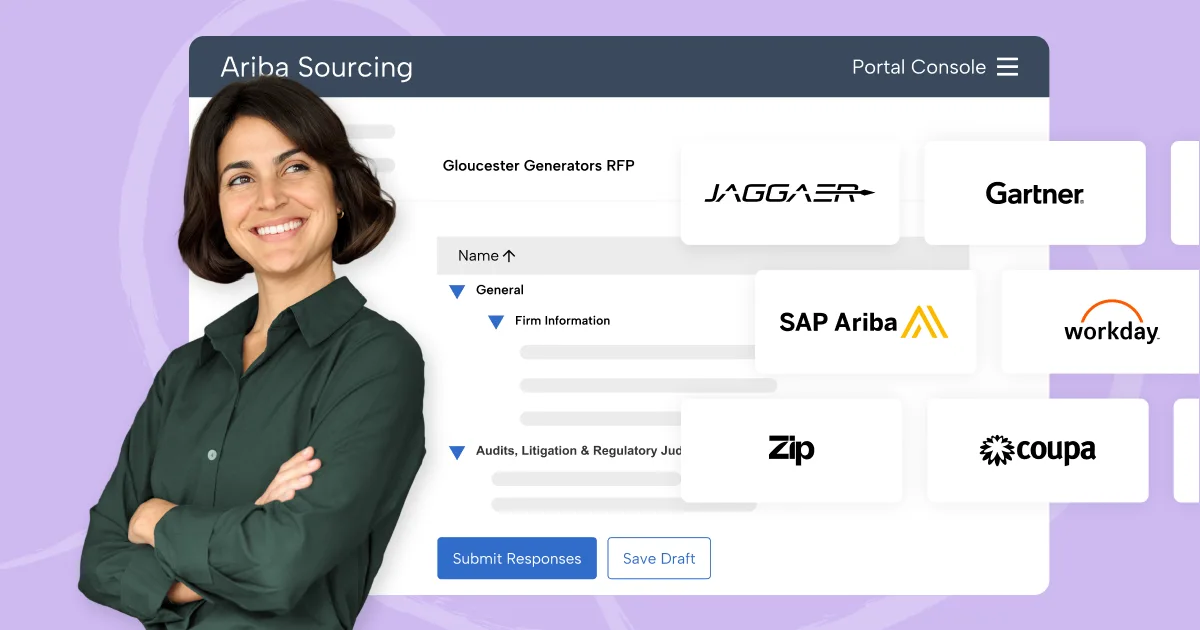
Table of Contents
Cutting and pasting was fun in kindergarten. Now? Not so much. ✂️
The rise of RFP, SQ, and DDQ portals has turned what should be a strategic process into a bottleneck. Between tedious copying and pasting and hunting for vetted answers, it’s easy to feel trapped doing busy work.
But, portals aren’t going anywhere. According to the 2026 RFP Trends & Benchmarks Report, 45% of all submissions are now completed through them.
By automating the intake and population of web-based RFPs, you can effortlessly pull trusted content into virtually any portal with Loopio. Here’s how it works.
What’s Loopio’s Portal Solution?
At first glance, a portal might look like just another average questionnaire. But for teams that respond to them regularly, we know that portals create a lot of behind-the-scenes friction, like sharing logins to access the questions or struggling to save progress.
That’s why we built the most comprehensive portal solution on the market. By using the latest AI technology, tackling portals with Loopio eliminates the need for manual workarounds, helping you finish responses faster—without the headache of manually copy-and-pasting answers.
Loopio’s portal solution helps you:
- Use AI-powered question & answer mapping: Automatically identify and map questions, sections, and subsections from a web portal directly into a Loopio Project with a single click.
- Enable one-click population: Once you’ve completed your responses in Loopio, instantly populate those answers back into the original web portal, saving hours of manual data entry.
- Answer in various portals: You can work flexibly with nearly any portal you encounter. Loopio customers have successfully kicked off and worked on Projects from 170+ different portal providers.
The new plug-in is a game changer! It captured a large, complex, online-only questionnaire and transformed it into a structured Loopio project in minutes.
Key Benefits
Whether you’re a Proposal Manager, a Solutions Architect, or an Investor Relations Lead, the core benefits of Loopio’s portal solution remain the same: easy project kick-off, seamless collaboration, and faster time to submission. 💨
The real power, however, is in how Loopio adapts to any portal common to your industry.

For Software
Loopio enables technical teams to rapidly import and address complex security requirements in specialized risk management portals.
Common portals Loopio helps with: OneTrust, Auditboard, and ServiceNow.

For Venture Capital, Private Equity & Asset Management
Reduce the administrative burden of recurring DDQs and provide investors with consistent, accurate data across every platform.
Common portals Loopio helps with: Dilligencevault, eVestment, Dasseti.

For Business Services
Respond to more RFPs in less time, ensuring every bid is filled with the most up-to-date, vetted content from your Library.
Common portals Loopio helps with: SAP Ariba, ProposalTech, and Workday.
How Does It Work?
Now that you understand the benefits, it’s time to see it in action. The video below provides an overview of how the features work together to help you submit your proposals through a portal.
Step-by-Step: How to Use Loopio’s Portal Solution
| Steps | Description |
|---|---|
| 1. SmartScan | Open your portal and the Loopio browser extension. With both open, you can now start a project. Click ‘SmartScan’. Now Loopio’s AI will map the questions in the portal to a project in Loopio’s workspace. |
| 2. Respond | Next, you’ll be brought to Loopio’s project workspace, where you can automate answers to pull in your best content, seamlessly collaborate with SMEs for validation, and use reports to evaluate the effectiveness of your content. |
| 3. SmartFill | Once your answers are complete, return to the portal and hit ‘SmartFill’. Now, Loopio will automatically populate your final responses directly into the portal fields. When everything is populated, do a quick final check before submitting, and voila! Your portal submission is finished. |
Already Using Loopio? Here’s How to Get Started 💡
The Loopio Portal Solution is available for all customers on every pricing plan through the browser extension.
Simply install the browser extension at loopio.com/extension, open the portal you need to submit to (e.g., SAP Ariba, Gartner, etc.), create your Loopio Project, and get started.
Note: You must have a paid user license (not a guest user) to use these features.
Common Questions
Our portal response solution works flexibly with different portal providers in the market. This is not a 1:1 integration, but rather a connector that works flexibly with hundreds of portals—no matter where you receive your RFPs, security questionnaires, and due diligence questionnaires.
To date, customers have launched projects from over 170 different portal providers.
We continue to rigorously test our solution across leading portal providers, including SAP Ariba, ProcessUnity, Coupa, and others.
You must have either Google Chrome or Microsoft Edge to install the Loopio browser extension and unlock these capabilities.
No, the Loopio browser extension, and thus the portal response solution, is available for all customers on every pricing plan.
You must have a paid user license (ie. not guest users) to install and use the Loopio extension.
Yes, once you install the Loopio browser extension, simply log in to your Loopio environment, open up a portal, create your Loopio Project, and then hit SmartScan to import the questions directly into Loopio.
Now, you’re ready to jump in and respond.
SmartFill maintains some formatting when responding to RFP portals, including paragraph spacing. We are continuing to explore support for rich text formatting in SmartFill. While the Loopio Project Workspace fully supports rich text, this formatting cannot currently automatically transfer into a portal. Users can manually apply formatting within the portal by referencing their original response in Loopio.
Yes, SmartScan is built to handle complex portals, including multi-page layouts and conditional logic (questions that only appear based on your previous answers). Our upcoming functionality will allow SmartScan to detect and capture new elements in real time as you interact with the page, ensuring late-loading questions aren’t missed.
New to Loopio? We’re Here to Help
New to Loopio? We’re here to help level up your response process. Book 15 minutes to connect with our team, and we’ll explain how Loopio makes the RFP process effortless.
If you’re an existing customer and need support, contact the Customer Success team with any questions.